VIVA: VLM-Guided Instruction-Based Video Editing with
Reward Optimization

1Brown University 2Intelligent Creation, ByteDance
* Project Lead

Abstract

Instruction-based video editing aims to modify an input video according to a natural-language instruction while preserving content fidelity and temporal coherence. However, existing diffusion-based approaches are often trained on paired data of simple editing operations, which fundamentally limits their ability to generalize to diverse and complex, real-world instructions. To address this generalization gap, we propose VIVA, a scalable framework for instruction-based video editing that leverages VLM-guided encoding and reward optimization. First, we introduce a VLM-based instructor that encodes the textual instruction, the first frame of the source video, and an optional reference image into visually-grounded instruction representations, providing fine-grained spatial and semantic context for the diffusion transformer backbone. Second, we propose a post-training stage, Edit-GRPO, which adapts Group Relative Policy Optimization to the domain of video editing, directly optimizing the model for instruction-faithful, content-preserving, and aesthetically pleasing edits using relative rewards. Furthermore, we propose a data construction pipeline designed to synthetically generate diverse, high-fidelity paired video–instruction data of basic editing operations. Extensive experiments show that VIVA achieves superior instruction following, generalization, and editing quality over state-of-the-art methods.
Method

Edit-GRPO Diagram
Method Framework

Method Overview

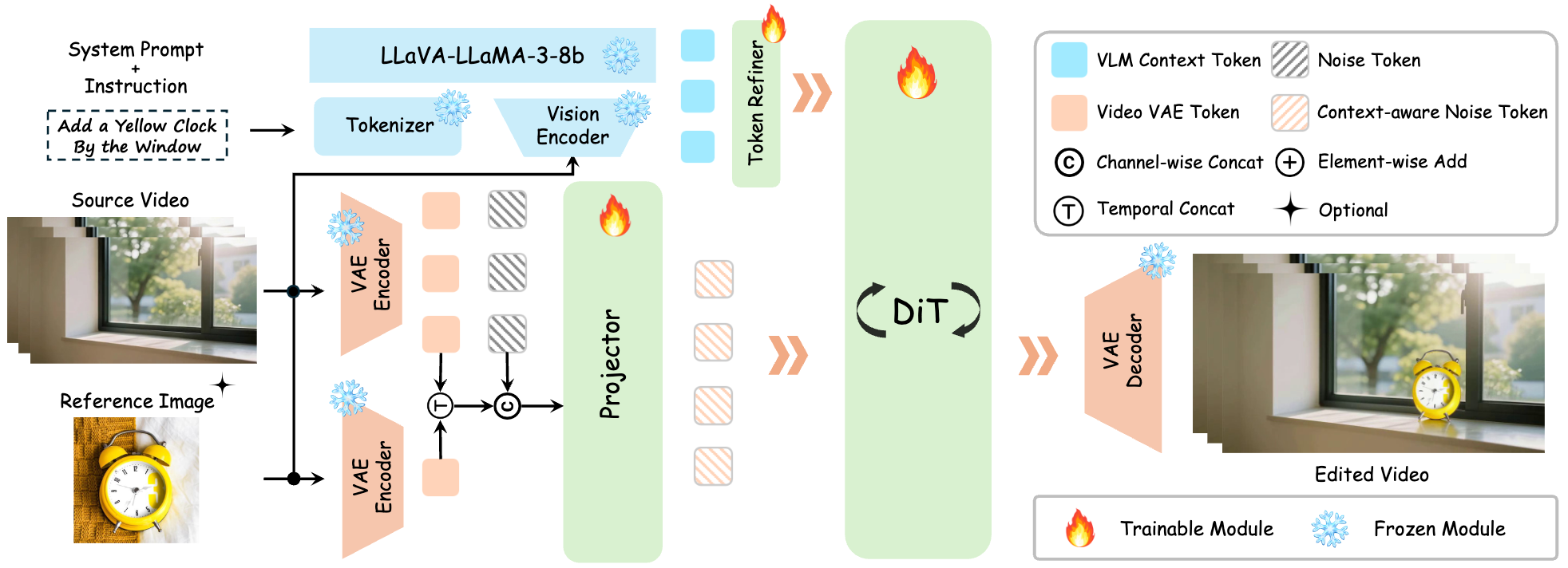
A context-aware VLM instructor encodes the system prompt, instruction, first frame of the source video, and an optional reference image into VLM tokens. A trainable token refiner aligns these tokens to the pretrained DiT latent space. The VAE encodings of the source video are added to form context-aware noise tokens for denoising.

Edit-GRPO

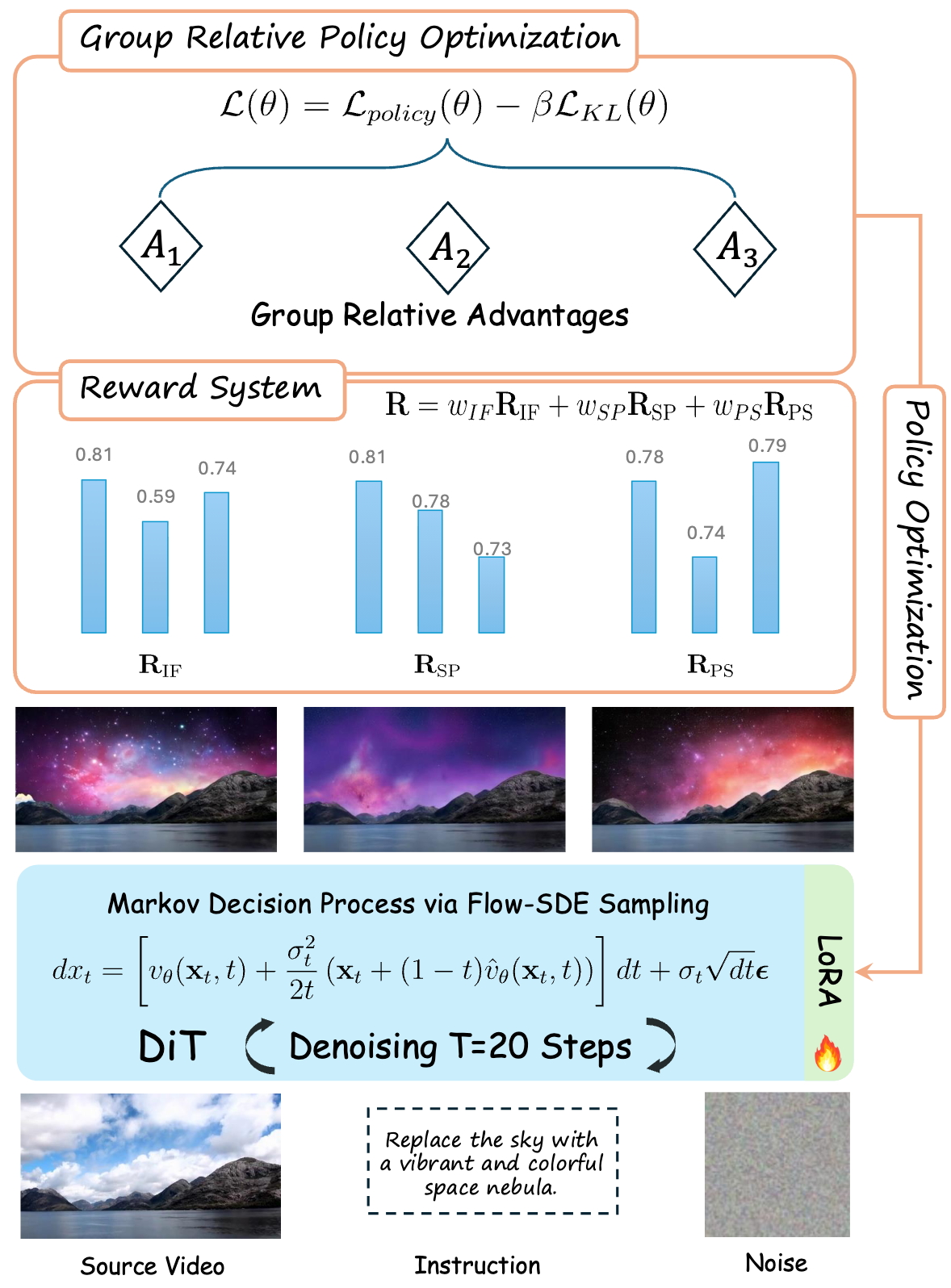
We inject stochasticity via Flow-SDE to generate diverse samples, score them with our reward system, and compute a GRPO loss from the resulting relative advantages to update the model. For efficiency, we optimize a LoRA instead of full fine-tuning.

Comparison with Baselines

Instruction-based Video Editing

Please scroll right to view all baselines.
Please press the play button on the top right to pause all videos for more detailed frame-by-frame comparison.
Please refresh the page if the videos are not synchronized properly.

Instruction: "Remove the cigarette from his hand, and add a pair of sunglasses to the man."
Source Video
VIVA (Ours)
Runway Aleph
Lucy-Edit-Dev
Ditto
ICVE
InsV2V
Instruction: "Remove the boy."
Source Video
VIVA (Ours)
Runway Aleph
Lucy-Edit-Dev
Ditto
ICVE
InsV2V
Instruction: "Add an Asian man wearing a white T-shirt Sitting in the driver's seat of a vintage car."
Source Video
VIVA (Ours)
Runway Aleph
Lucy-Edit-Dev
Ditto
ICVE
InsV2V
Instruction: "Change the weather to a torrential downpour."
Source Video
VIVA (Ours)
Runway Aleph
Lucy-Edit-Dev
Ditto
ICVE
InsV2V
Instruction: "Turn the sky to lightning and thunder, and add a little cat running in the grass."
Source Video
VIVA (Ours)
Runway Aleph
Lucy-Edit-Dev
Ditto
ICVE
InsV2V
Instruction: "Add a white dog beside the woman."
Source Video
VIVA (Ours)
Runway Aleph
Lucy-Edit-Dev
Ditto
ICVE
InsV2V
Instruction: "Remove the bowl in the middle."
Source Video
VIVA (Ours)
Runway Aleph
Lucy-Edit-Dev
Ditto
ICVE
InsV2V
Instruction: "Add an combat aircraft to the blue sky."
Source Video
VIVA (Ours)
Runway Aleph
Lucy-Edit-Dev
Ditto
ICVE
InsV2V
Instruction: "Turn the entire scene into autumn."
Source Video
VIVA (Ours)
Runway Aleph
Lucy-Edit-Dev
Ditto
ICVE
InsV2V
Instruction: "Change the material of the train to that made of ice cubes."
Source Video
VIVA (Ours)
Runway Aleph
Lucy-Edit-Dev
Ditto
ICVE
InsV2V

Instruction-Reference-based Video Editing

Please scroll right to view all baselines.
Please press the play button on the top right to pause all videos for more detailed frame-by-frame comparison.
Please refresh the page if the videos are not synchronized properly.

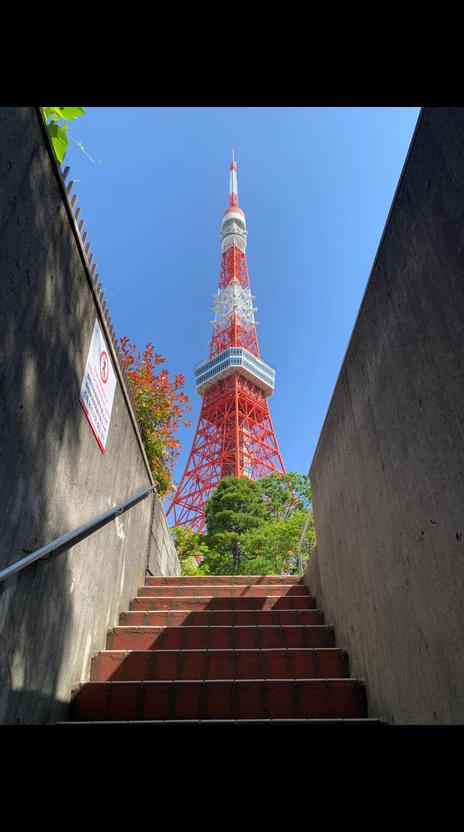
Instruction: "Replace the background with Tokyo tower."
Source Video
Reference Image
Ref
VIVA (Ours)
Runway Aleph
Lucy-Edit-Dev
Ditto
ICVE
InsV2V
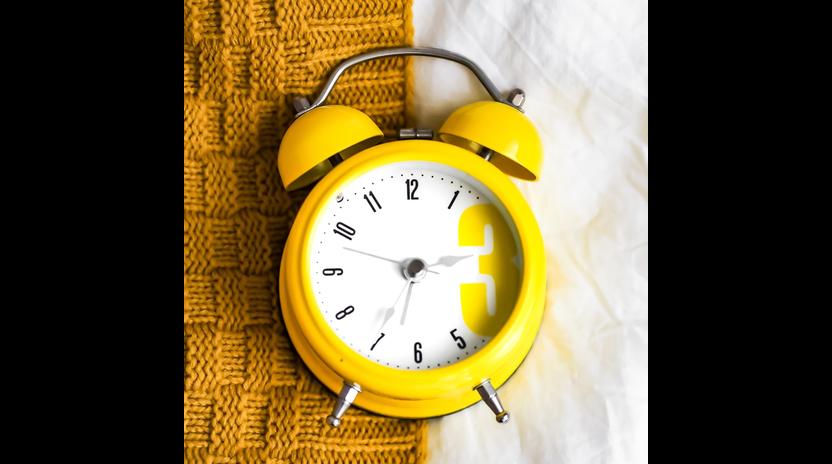
Instruction: "Add a yellow clock by the window."
Source Video
Reference Image
Ref
VIVA (Ours)
Runway Aleph
Lucy-Edit-Dev
Ditto
ICVE
InsV2V
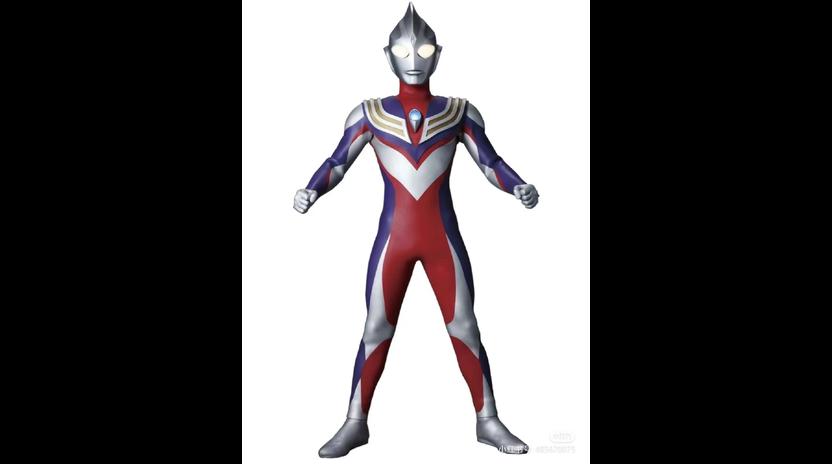
Instruction: "Replace the person with the ultraman."
Source Video
Reference Image
Ref
VIVA (Ours)
Runway Aleph
Lucy-Edit-Dev
Ditto
ICVE
InsV2V
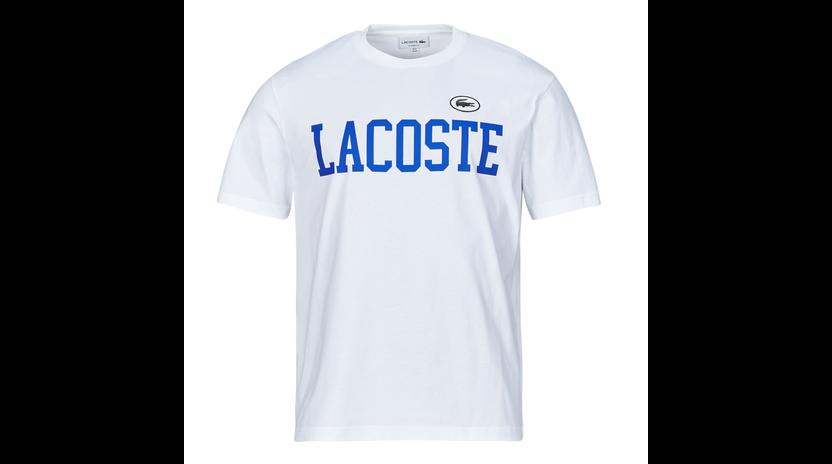
Instruction: "Replace the upper-clothes with white T-shirt."
Source Video
Reference Image
Ref
VIVA (Ours)
Runway Aleph
Lucy-Edit-Dev
Ditto
ICVE
InsV2V
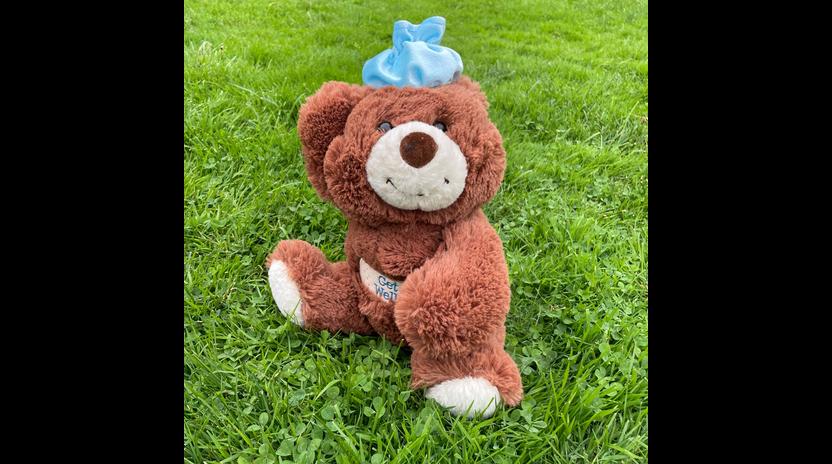
Instruction: "Add a brown teddy bear to the man's right shoulder."
Source Video
Reference Image
Ref
VIVA (Ours)
Runway Aleph
Lucy-Edit-Dev
Ditto
ICVE
InsV2V
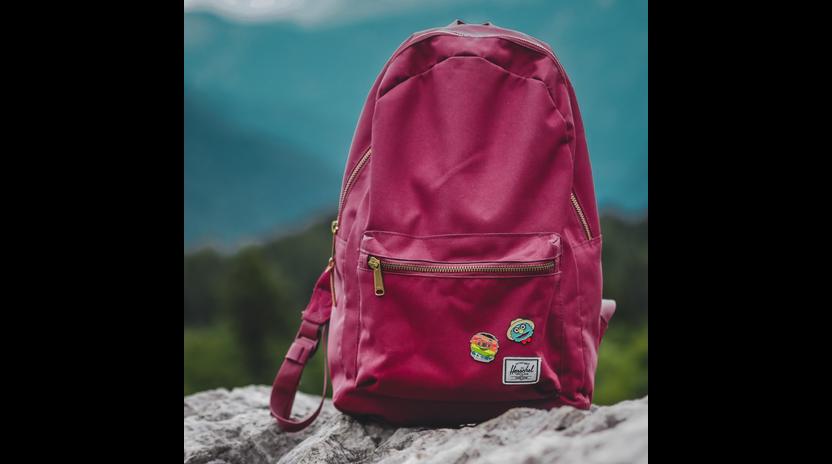
Instruction: "Replace the black backpack with wine red backpack."
Source Video
Reference Image
Ref
VIVA (Ours)
Runway Aleph
Lucy-Edit-Dev
Ditto
ICVE
InsV2V
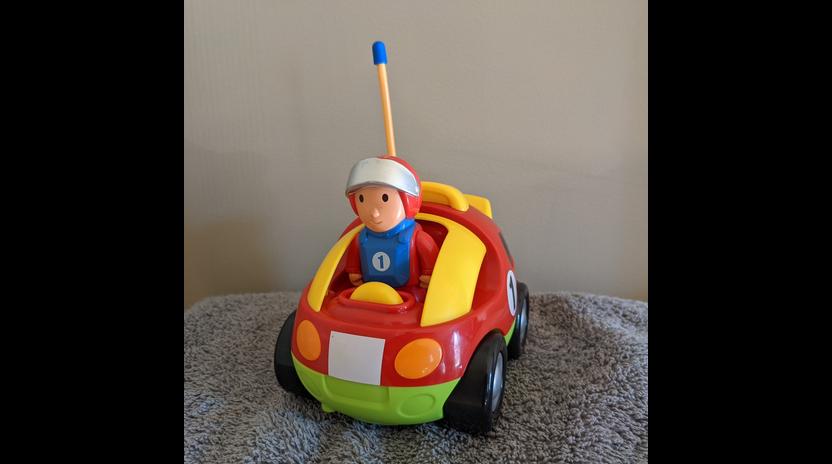
Instruction: "Replace the car with a toy car."
Source Video
Reference Image
Ref
VIVA (Ours)
Runway Aleph
Lucy-Edit-Dev
Ditto
ICVE
InsV2V

More Challenging Cases

More qualitative results on complex instructions that are non-trivial and challenging to be synthesized by the data construction pipeline.

"Change the background from the ocean to a vast, snowy mountain range."
Source Video
VIVA
"Add a trail of fire coming from the back wheel of the bike."
Source Video
VIVA
"Add a pair of large, white, feathered wings to the woman's back, and change woman's hair to red."
Source Video
VIVA
"Change the material of the large dome in the background to be made of polished gold, and turn the sky to lightning and thunder."
Source Video
VIVA
"Change the material of the cello to look as if it's carved from a single block of clear ice, and add audience members in the background."
Source Video
VIVA
"Replace the water in the canal with flowing lava, and add a full head of black hair."
Source Video
VIVA
"Replace the ice cream cone she is holding with a flaming torch."
Source Video
VIVA
"Replace the dumbbells they are holding with flaming torches."
Source Video
VIVA
"Add a large, ethereal planet with glowing rings hanging in the night sky."
Source Video
VIVA
"Change the background to a night sky filled with colorful fireworks."
Source Video
VIVA
"Make the mountain in the background an active volcano erupting with smoke and lava, and add a little cat running by the couple."
Source Video
VIVA
"Replace the sky with a swirling, colorful galaxy nebula, and add a panda walking around."
Source Video
VIVA
"Add steam rising from the food in the bowl."
Source Video
VIVA
"Change the background to a bustling, neon-lit street in Tokyo at night."
Source Video
VIVA
"Change the background to a vibrant sunset over the ocean."
Source Video
VIVA
"Transform the scene to nighttime, with a full moon reflecting on the water."
Source Video
VIVA
"Add several large, floating islands with waterfalls cascading down from them in the sky."
Source Video
VIVA
"Turn the dirt ground into a rippling water surface."
Source Video
VIVA
"Turn the cobblestone ground into a flowing river."
Source Video
VIVA
"Add a dolphin leaping from the water in the background."
Source Video
VIVA
"Turn the asphalt road into a vibrant, rainbow-colored path."
Source Video
VIVA
"Change the water into a moving sea of clouds."
Source Video
VIVA
"Change the background to a magical, glowing mushroom forest."
Source Video
VIVA
"Change the background from a beach to a crowded street in London."
Source Video
VIVA
"Change the brick wall into a large aquarium filled with colorful fish."
Source Video
VIVA
"Change the waterfall into lava."
Source Video
VIVA
"Transform into illustration style."
Source Video
VIVA
"Transform into Chinese ink style."
Source Video
VIVA
"Transform the entire scene into oil painting style."
Source Video
VIVA
"Turn into folded-paper origami art style."
Source Video
VIVA
"Remove the watermark."
Source Video
VIVA
"Remove the watermark."
Source Video
VIVA
"Remove the watermark."
Source Video
VIVA
"Remove the watermark."
Source Video
VIVA